

Book an intro call

Technical SEO for Shopify Stores Without the Guesswork


Shopify does a surprising amount of technical SEO without being asked. It builds the sitemap, writes a sensible robots.txt, adds canonical tags and generates hreflang for international markets. I run launches and migrations at Teplin, and in my experience that is exactly why stores get into trouble. People assume the platform has it covered, then a filter setting, a deleted product or a theme snippet undoes the good defaults. What follows is the order I work through on a real project: the checks before go-live, the ones on launch day and the ones in the weeks after. Each step says what Shopify already does and what is left for you.
Before launch
Step 1. Accept the fixed URL structure and fix the handles
Shopify uses fixed path prefixes: /products/ for products, /collections/ for collections, /pages/ for static pages and /blogs/ for articles. You cannot change them on a standard Online Store theme, and they do not hurt rankings. I spend no time on them. The part you control is the handle after the prefix.
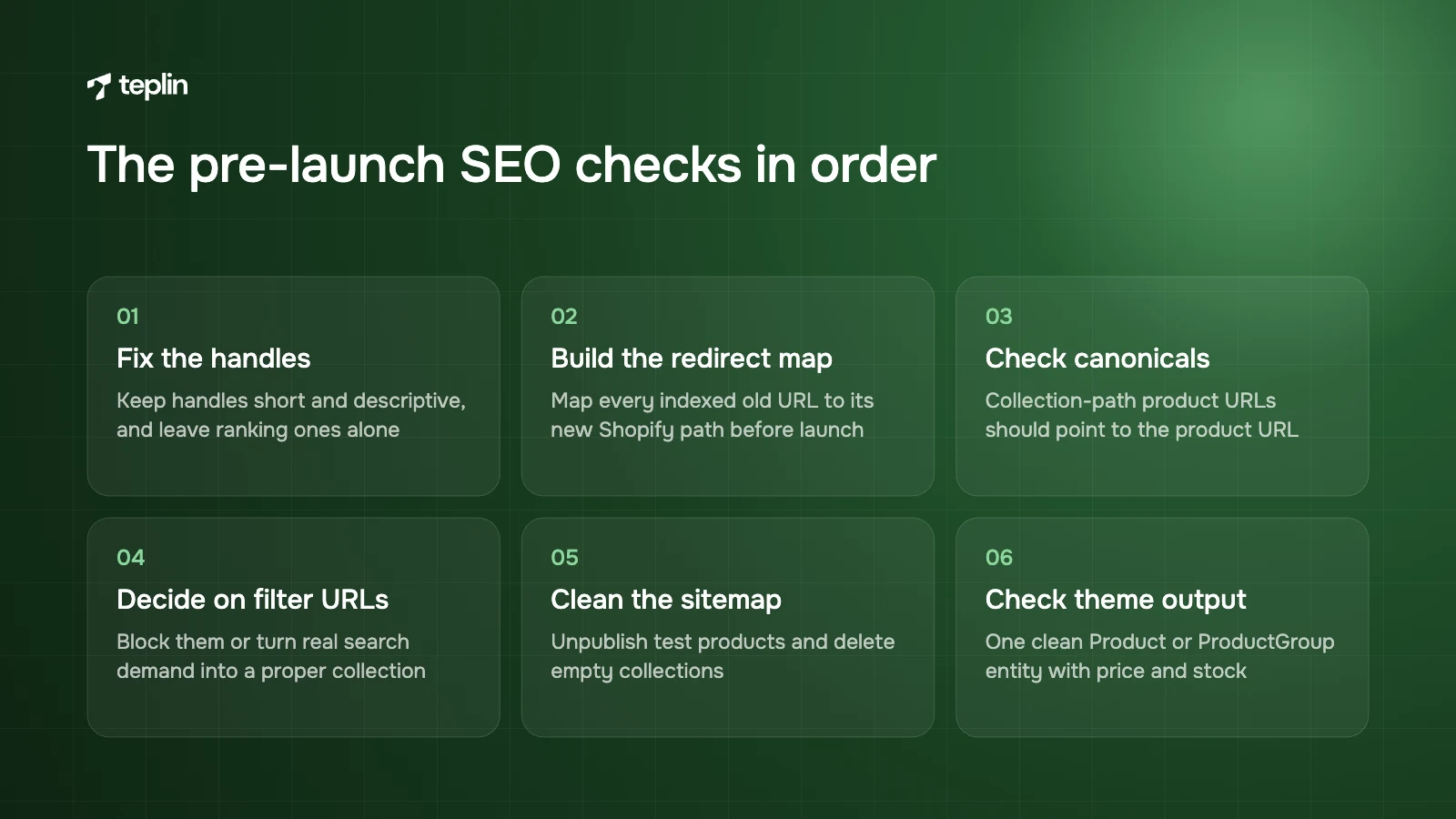
Shopify's Admin API documentation says a handle can contain letters, numbers and hyphens but no spaces. Keep it short and descriptive, so /products/merino-crew-sock rather than the full product title or a "copy-of" prefix left behind by a duplicated listing. Once a product ranks, leave its handle alone unless there is a strong reason.
Step 2. Build the redirect map before anything else
On a replatforming project this is the single most important SEO task, and I want it finished before launch day, not after. Export every indexed URL from the old platform and map each one to its new Shopify path.
Create redirects under Content > Menus > View URL redirects, or import them in bulk from a CSV. Shopify allows up to 100,000 redirects on standard plans and 20,000,000 on Plus. Two limits catch teams out. A redirect only fires if the old URL no longer loads a live page, and you cannot redirect fixed paths such as /products, /collections or /collections/all.
When a handle changes inside Shopify, the platform can redirect the old handle automatically. I still check the redirect list afterwards rather than trusting it. For timelines and budgets on bigger moves, our article on what a Shopify migration costs and how long it takes goes into detail.
Step 3. Check canonicals on collection-path product URLs
Many themes link to products from collection pages through the collection itself, which produces URLs like /collections/sale/products/merino-crew-sock. Shopify's own Liquid documentation warns that this creates "the same content on separate URLs". A product sitting in five collections can exist at six addresses.
Themes that output Shopify's standard canonical tag point those versions back to /products/handle, which is correct. But Google treats a canonical as a signal, not an order, and it also weighs internal links. When every product card links to the collection-path version, the signals disagree. On staging I do four things:
- View the source of a collection-path product URL
Confirm the canonical tag points to /products/handle and not back to itself. - Check where product cards link
Ask your developer to make product cards on collection pages link straight to the canonical URL. - Look at variant URLs
Shopify adds ?variant= when a shopper picks an option. Google's variant guidance expects distinct variant URLs with one canonical for the product group, which a standard theme already gives you. - Note any app that touches the head
SEO and review apps sometimes write their own canonical or schema, so list them for the post-launch check.
Step 4. Decide what your filter URLs are for
Storefront filters, set up in the Search & Discovery app or the admin, add parameters to the URL for things like vendor, size or price. Shopify allows up to 25 filters. They can generate thousands of crawlable URLs.
The default robots.txt blocks admin, cart, checkout and account paths, sorted collection URLs and tag combinations with a plus sign. On live stores we also see it disallow collection URLs carrying more than one filter parameter. Single-filter URLs such as /collections/socks?filter.v.option.color=navy stay open.
Google's faceted navigation guidance, last updated December 2025, recommends blocking filter URLs in robots.txt if you do not need them indexed and returning a 404 for combinations with no results. My preference is that filtered parameter URLs are poor landing pages. If "navy merino socks" has real search demand, make it a proper collection with its own copy and internal links, then consider blocking the remaining combinations. One rule I repeat on every project: never pair noindex with a robots.txt block, because Google cannot read a noindex tag on a page it is not allowed to crawl.
Never pair noindex with a robots.txt block. Google cannot read a noindex tag on a page it is not allowed to crawl.
Step 5. Edit robots.txt.liquid only if you have to
You customise robots.txt by adding a robots.txt.liquid template in the theme code editor. Shopify warns that incorrect use "can result in loss of all traffic", recommends adding or removing individual rules with Liquid so the default groups keep receiving updates, and treats it as an unsupported customisation. Two details matter at launch. Theme uploads through the admin do not import robots.txt.liquid, and deleting the template restores the default. I keep a copy of the file outside the theme for that reason.
Step 6. Clean what the sitemap will list
Shopify generates /sitemap.xml automatically as an index linking to child sitemaps for products, collections, pages and blog posts. You cannot edit it, so the job is to control what goes into it. Unpublish test products, set wholesale-only items to unlisted or remove them from the Online Store channel, and delete empty collections.
Step 7. Check what the theme outputs
Shopify's structured_data Liquid filter outputs Product markup for products without variants, ProductGroup for products with variants and Article markup for blog posts. Older or customised themes often use hand-written JSON-LD instead, and apps may add a second Product block on top. I run three product URLs through Google's Rich Results Test and want to see one clean Product or ProductGroup entity with price, currency and availability.
Shopify accepts images up to 20 MB and 5,000 x 5,000 px (25 megapixels), and its image service serves the best format each browser supports. The usual problem is oversized hero images and sliders. Add alt text in the admin (click the image, then Edit alt text) that describes what the image shows, and rename files before upload so "IMG_4471.jpg" becomes "merino-crew-sock-navy.jpg". The performance side is covered in our guide to speeding up a Shopify store and passing Core Web Vitals.
Thin collection pages are a common reason Shopify stores struggle on category terms. Metafields let you add structured fields such as a collection intro, FAQs or a size guide, connected to theme sections through dynamic sources. Your team can then edit them without touching code. Make sure every important collection is linked from the menu or a parent collection, with breadcrumbs, and that blog articles link to the collections they discuss.
On launch day
Step 8. Verify Search Console and submit the sitemap
A Domain property in Google Search Console, verified by DNS, covers every subdomain and protocol in one place. Shopify's own instructions describe the URL-prefix method instead: paste Google's HTML meta tag directly below the opening head tag in theme.liquid, with password protection turned off. Then submit sitemap.xml under Indexing > Sitemaps. If you run separate international domains, verify each one and submit each sitemap.
Step 9. Test international setup if you use Markets
With Shopify Markets, hreflang tags are generated from your market and language settings, an x-default tag points to the primary domain and market URLs go into the sitemap. Automatic redirection applies to shoppers but excludes known search engine crawlers. Shopify recommends subfolders such as yourstore.com/fr/ for most stores, because they share authority with the primary domain. On launch day I check the hreflang output on a few templates and confirm that crawlers are not being redirected by a third-party geolocation app. Our guide to selling internationally with Shopify Markets covers the setup decisions, and our Spamigo project shows a Canadian and a US store run side by side.
In the weeks after launch
Step 10. Watch 404s and duplicate reports
For the first few weeks I check Search Console regularly. Any 404 that had traffic or backlinks gets a redirect. A pile of "Duplicate without user-selected canonical" product URLs usually means a theme change or app is overriding the canonical, so go back to the list from step 3. I also re-run the Rich Results Test after every new app install, because review and SEO apps are the most common source of duplicate Product markup.
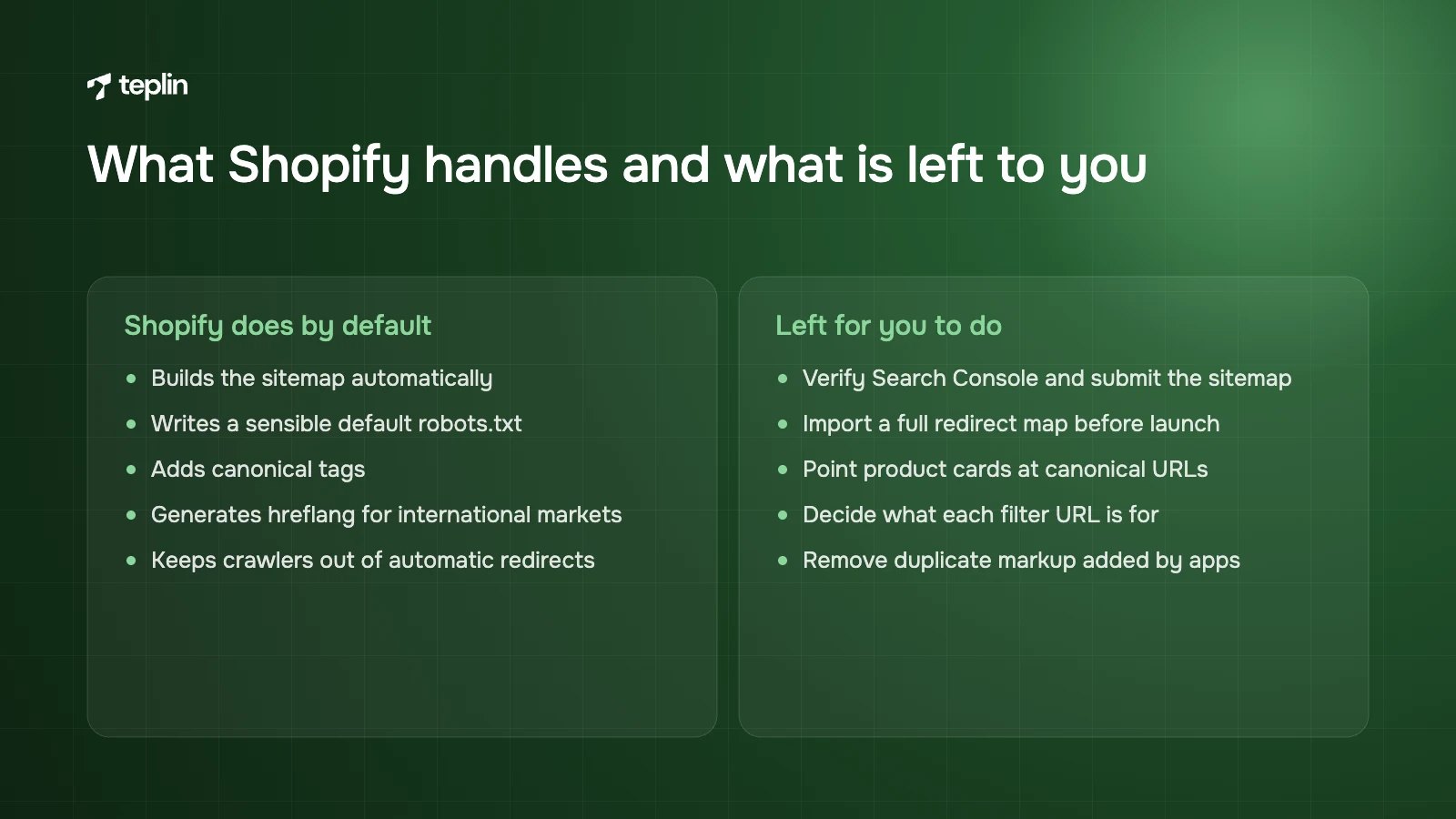
The short list to keep
- Verify Search Console and submit sitemap.xml for every domain.
- Import a full redirect map before launch and redirect every 404 that had traffic.
- Confirm canonicals on collection-path product URLs and fix product card links.
- Decide for each filter URL whether to block it or replace it with a real collection.
- Keep robots.txt.liquid edits minimal and store a copy outside the theme.
- Remove test products and empty collections from the Online Store channel.
- Check three products in the Rich Results Test and remove duplicate markup.
- Add alt text and descriptive file names, and compress oversized banners.
- Add intro copy to your top 10 collections using metafields.
- Check hreflang and market sitemaps, and make sure crawlers are not redirected.
Frequently asked questions
Can you remove /products/ and /collections/ from Shopify URLs?
Not on a standard Shopify theme. The prefixes are fixed, cannot be redirected and do not hurt rankings. A headless storefront can use custom routes, but that is an architecture decision rather than an SEO fix.
Should I block Shopify filter URLs in robots.txt?
For parameter URLs you do not want ranking, usually yes. Shopify's default already blocks some combinations, but single-filter URLs stay crawlable. If a filtered view has genuine search demand, build it as a proper collection instead.
Do I need an SEO app for Shopify?
Not for the basics. Sitemaps, canonicals, robots.txt, hreflang and core structured data are built into the platform and modern themes. Apps can help with bulk alt text or audits, but any app that injects markup needs checking for duplicate schema.
An in-house team can get through most of this in a few focused days. Theme code, robots.txt.liquid and migration redirects deserve more care, because mistakes there take weeks to show and longer to undo. If you have a launch or migration coming up and want someone to own these checks, our Shopify development team does this on every project, and you can tell us about your timeline.
Sources
- Shopify Help Center – Editing robots.txt.liquid
- Shopify Help Center – Finding and submitting your sitemap
- Shopify Help Center – Creating and managing URL redirects
- Shopify Help Center – URL redirect restrictions
- Shopify Help Center – International SEO for markets
- Shopify Help Center – Adding keywords and alt text
- Shopify Help Center – Product media types and image limits
- Shopify Help Center – Metafields
- Shopify App Store – Search & Discovery
- Shopify.dev – Storefront filtering
- Shopify.dev – Liquid within filter
- Shopify.dev – Liquid structured_data filter
- Shopify.dev – canonical_url object
- Shopify.dev – ProductUpdateInput (handle and redirectNewHandle)
- Google Search Central – Managing crawling of faceted navigation URLs
- Google Search Central – Consolidating duplicate URLs
- Google Search Central – Product variant structured data
- Google Search Console Help – Add a website property
- Google Search Central – Image SEO best practices

Get a free Shopify store audit

.webp)
Stay ahead of the curve

More from our resources
Is Shopify Plus Worth $2,300 a Month? Here Is the Real Bill




Ecommerce insights, straight to your inbox


10:33

10:33

16:33